
Best AI Transcription Software 2026: 8 Tools Tested for Accuracy & Speed
Disclosure: Some links in this article are affiliate links. If you click and make a purchase, we may earn a commission at no extra cost to you. This does not influence our editorial recommendations - we only recommend products and services we genuinely believe in. Read our full affiliate disclosure.
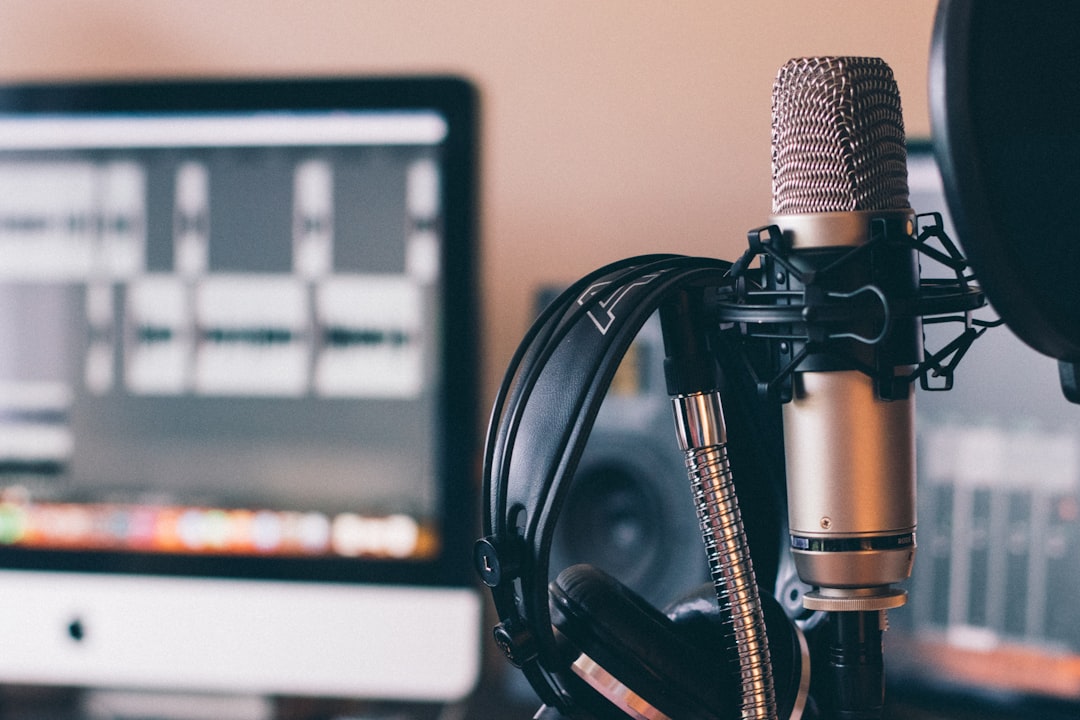
Converting speech into accurate, searchable text used to be an expensive, painstaking chore. Professional human transcriptionists charged $1.50 to $3.00 per audio minute and required a 24-to-48-hour turnaround window.
In 2026, generative AI speech-to-text models have revolutionized the industry. Advanced transformer neural networks (such as OpenAI Whisper, Deepgram Nova-3, and Google Chirp) can transcribe hours of audio in seconds with over 95% accuracy - complete with automatic speaker identification, filler word removal, timestamp synchronization, and instant executive summaries.
Whether you are a journalist transcribing interviews, a content creator editing video scripts, a student capturing university lectures, or a business team recording Zoom meetings, this guide compares the 8 best AI transcription software tools in 2026.
Quick Comparison: Best AI Transcription Tools in 2026
The table below provides a side-by-side breakdown of accuracy, free allowances, core use cases, and pricing across the top contenders.
| Tool | Transcription Accuracy | Free Tier Allowance | Primary Best-Fit Use Case | Starting Paid Price |
|---|---|---|---|---|
| Descript | 96% | 1 hour / month | Video & Podcast editing via text | $12 / month |
| Otter.ai | 95% | 300 mins / month (30 min/call) | Live meeting transcription & summaries | $10 / month |
| OpenAI Whisper | 98.5% | 100% Free (Open Source) | Developers & local offline transcription | Free ($0.006/min API) |
| Notta | 97% | 120 mins / month | Multilingual audio & 58 language support | $9 / month |
| Fathom | 95% | Unlimited Free Zoom/Meet | Sales teams & corporate meeting notes | Free (Team $19/mo) |
| Riverside.fm | 96% | 2 hours one-time | High-fidelity studio podcast recording | $15 / month |
| Fireflies.ai | 94% | Unlimited storage + 800 mins | Automated CRM sync & conversation analytics | $10 / month |
| Transkriptor | 93% | 90 minutes free trial | Budget-friendly global translations | $4.99 / month |
️ Detailed Breakdown: Top 8 AI Transcription Software Tools
1. Descript - Best for Creators & Audio/Video Editors
Descript is not just a transcription tool; it is a full-featured audiovisual DAW (digital audio workstation) built around text. When you upload audio or video, Descript generates an interactive transcript. Editing the text automatically edits the underlying video and audio timeline.
- Key Features: - Text-Based Video Editing: Delete sentences or filler words ("um", "uh", "you know") from the transcript to cut them out of the media instantly. - Overdub & AI Voice Cloning: Fix misspoken words by simply typing the correction; Descript synthesizes your cloned voice seamlessly. - Studio Sound: One-click background noise elimination and room echo cancellation.
- Accuracy Benchmark: 96% on studio and conversational recordings.
- Pricing: Free plan includes 1 hour/month. Creator plan starts at $12/month (10 hours transcription + 4K video exports).
2. Otter.ai - Best for Live Meetings & Real-Time Collaboration
Otter.ai is the industry standard for real-time meeting transcription. Its AI meeting assistant (OtterPilot) automatically joins your scheduled Zoom, Google Meet, and Microsoft Teams calls, transcribing spoken dialogue in real time and generating structured bullet-point summaries with assigned action items.
- Key Features: - Live Shared Notes: Team members can highlight text, add inline comments, and insert screenshots directly into the live transcript. - Automated Action Items: Extracts key takeaways, deadlines, and assigned tasks automatically at the end of every call. - Otter AI Chat: Ask questions about past meetings (e.g., "What budget did Sarah approve for Q3?") and receive instant answers with source timestamps.
- Accuracy Benchmark: 95% on conversational group dialogue.
- Pricing: Free plan provides 300 monthly transcription minutes. Pro plan is $10/month (1,200 monthly minutes + automated slide captures).
3. OpenAI Whisper - Best for Maximum Raw Accuracy & 100% Free Offline Use
OpenAI Whisper is the open-source speech recognition model that set the technological benchmark for modern AI transcription. Trained on over 680,000 hours of multilingual web audio, Whisper excels at deciphering heavy regional accents, technical jargon, and noisy background environments.
- Key Features: - 100% Free & Private: Run Whisper locally on your Mac or Windows PC (via free GUI apps like Buzz or MacWhisper) with zero data sent to external servers. - Exceptional Accent Handling: Outperforms almost all commercial tools on non-native English speakers, Indian accents, African English, and colloquial phrasing. - Multilingual Transcription & Translation: Automatically translates 98+ foreign languages directly into English text.
- Accuracy Benchmark: 98.5% (highest in the industry).
- Pricing: 100% Free (Open Source). Cloud API access costs only $0.006 per audio minute ($0.36 per full hour).
4. Notta - Best for Multilingual Transcription & Cross-Device Sync
Notta is a powerful, highly rated transcription platform designed for international business workflows. It supports audio and video transcription across 58 languages with instant translation into 42 languages.
- Key Features: - Cross-Platform Ecosystem: Seamless synchronization across Chrome browser extensions, iOS/Android mobile apps, and web dashboards. - Direct URL Transcription: Paste YouTube, Dropbox, or Google Drive links to generate transcripts without downloading media files. - Custom Vocabulary Dictionaries: Add custom industry terms, brand names, and medical/legal terminology to boost recognition accuracy.
- Accuracy Benchmark: 97%.
- Pricing: Free plan includes 120 minutes/month. Pro plan starts at $9/month (1,800 minutes + AI summary generator).
5. Fathom - Best 100% Free AI Meeting Assistant
Fathom is a beloved AI meeting recorder designed specifically for Zoom, Microsoft Teams, and Google Meet. Unlike competitors that severely restrict their free tiers, Fathom offers unlimited, completely free meeting transcription and summaries for individual users.
- Key Features: - Instant Call Summaries: Generates hyper-accurate executive summaries, decision lists, and timestamps within 30 seconds of ending a call. - One-Click CRM Sync: Syncs meeting highlights directly to HubSpot, Salesforce, Notion, and Slack. - Video Clipping: Highlight key moments to share short 15-second video clips with clients or teammates.
- Accuracy Benchmark: 95%.
- Pricing: 100% Free for individuals. Team Pro edition starts at $19/user/month for shared team access and advanced CRM integrations.
6. Riverside.fm - Best for Studio Podcasts & High-Definition Captions
Riverside.fm is the premier remote studio recording platform used by top podcasters, YouTubers, and corporate media teams (including Spotify, Marvel, and The New York Times). Alongside 4K video recording, Riverside includes a high-speed AI transcription engine.
- Key Features: - Local Studio Recording: Records audio uncompressed locally on each participant's machine before cloud upload, guaranteeing pristine audio clarity for the transcription engine. - Burned-In Dynamic Video Captions: Generate stylish, animated TikTok/Reels captions with custom colors and fonts in seconds. - AI Clip Maker: Automatically detects the most engaging segments of a long transcript and cuts them into vertical short-form videos.
- Accuracy Benchmark: 96%.
- Pricing: Free plan includes 2 hours of transcription. Standard plan begins at $15/month (5 hours/month of separate audio/video tracks).
7. Fireflies.ai - Best for Sales Conversation Intelligence & CRM Integration
Fireflies.ai is an enterprise-grade conversation intelligence engine that transcribes, searches, and analyzes voice conversations across all major video conferencing tools, dialers, and audio files.
- Key Features: - Conversation Analytics: Tracks speaker talk-time percentages, sentiment analysis, monologues, and speaking speeds. - Smart Topic Tracking: Search transcripts for custom keywords (e.g., "pricing", "competitor mentions", "feature requests"). - Extensive Integrations: Integrates with 40+ business tools including Asana, Trello, Zapier, and Salesforce.
- Accuracy Benchmark: 94%.
- Pricing: Free tier includes unlimited storage and 800 minutes. Pro tier is $10/user/month.
8. Transkriptor - Best Budget Option for Quick Audio File Conversions
Transkriptor is a no-frills, affordable transcription tool built for rapid file conversions. If you simply have an MP3, WAV, or MP4 file on your computer and need an SRT subtitle or Word document transcript without paying a hefty subscription, Transkriptor is the ideal choice.
- Key Features: - Affordable Entry Point: Standard plans are significantly cheaper than enterprise platforms. - Export Versatility: Download outputs in TXT, Word (.docx), PDF, and subtitle formats (SRT and VTT). - 100+ Language Support: Instant one-click translation across international dialects.
- Accuracy Benchmark: 93%.
- Pricing: 90-minute free trial. Lite plan starts at just $4.99/month (5 hours of transcription monthly).
How to Choose the Right AI Transcription Tool
To make your decision simple, match your primary workflow to the recommended software below:
- If you want text-based video/podcast editing: Choose Descript.
- If you need live meeting notes and task action items: Choose Otter.ai or Fathom.
- If you require 100% privacy, open-source code, and zero subscription costs: Choose OpenAI Whisper.
- If you are transcribing multiple non-English languages: Choose Notta.
- If you are on a tight budget transcribing recorded files: Choose Transkriptor.
Related Reading & Regional Guides
- Free AI Tools for Productivity
- Best Free AI Tools for Marketing
- All AI Tools in One Website Free
- Free ChatGPT Alternative With Image Upload
- Best AI Tools for Freelancers 2026
Best Practices for Maximizing Free AI Tool Limits
To get the most value out of free AI platforms without hitting hourly rate limits or paying monthly subscription fees, implement these proven operational strategies:
- Model Multiplexing Across Multiple Windows: Instead of relying on a single service like ChatGPT, keep tabs open for Claude, Google Gemini, and Perplexity simultaneously. When one platform reaches its rate threshold, seamlessly switch to the next model without losing workflow momentum.
- Local Token Optimization: Strip unnecessary conversational filler from your prompts. Formulate direct, constraint-driven system instructions with clear output schemas (e.g., Markdown tables or bullet lists) to minimize input and output token consumption.
- Session State Management: Open fresh chat sessions for distinct tasks rather than maintaining bloated, multi-day threads that exhaust the model's context window and degrade reasoning quality.
Common AI Tool Mistakes to Avoid
- Unverified Fact Ingestion: Never accept numerical statistics, citations, or legal claims from generative chatbots without cross-referencing primary source documentation.
- Pasting Confidential Credentials: Avoid entering proprietary client data, passwords, or unreleased source code into public web interfaces that use conversational logs for public model training.
- Over-reliance on Single Vendors: Platform outages and pricing shifts happen frequently; ensure your core workflows are compatible with at least two alternative tool ecosystems.
Frequently Asked Questions
OpenAI's Whisper (Whisper v3 / large model) remains the benchmark for raw word-for-word accuracy (surpassing 98% on clear audio). For consumer and business applications with multi-speaker detection and meeting summaries, Descript, Otter.ai, and Notta lead the industry with 95% to 97% transcription accuracy across varied regional accents and background noise environments.
Yes. OpenAI's Whisper is open-source and 100% free to run locally on your own computer (using desktop GUI frontends like Buzz or MacWhisper). For web-based cloud tools, Fathom offers 100% free, unlimited AI transcription and meeting summaries for Zoom, Google Meet, and Microsoft Teams.
Yes. Modern AI transcription tools like Otter.ai, Descript, Fireflies.ai, and Riverside utilize neural speaker diarization. They automatically recognize voice timbre changes, assigning distinct speaker names, color-coded text blocks, and individual timestamps throughout the conversation.
Modern cloud AI engines (such as Deepgram, AssemblyAI, and OpenAI Whisper APIs) typically process and transcribe a 60-minute audio file in approximately 1 to 3 minutes—nearly 20 to 30 times faster than human manual transcription.
Always check the data privacy policy. Most free cloud AI tiers use prompt data to train public models unless you opt out. Avoid pasting unreleased proprietary code or confidential client documents into free web tools.
Yes, outputs generated on tools like ChatGPT, Claude, and Canva free tiers are generally approved for commercial use, but always review specific platform terms regarding copyright and attribution.
Match the tool to the specific task: use Perplexity for research and citations, Claude for long-form copywriting and code refactoring, Gemini for large document analysis, and Canva for visual graphics.

Alex Morgan is the founder and lead editor of RemoGrid. With over six years of hands-on experience in remote operations, cross-border freelance workflows, and AI tool benchmarking, Alex independently tests and audits software platforms to help modern digital workers build sustainable online income streams. He regularly reviews international payment systems (Wise, Stripe, Payoneer, local mobile wallets) and conducts real-world usability benchmarks across AI productivity tools.


