
Best Free AI Background Noise Removers for Remote Calls in 2026 (Krisp Free Alternatives)
Disclosure: Some links in this article are affiliate links. If you click and make a purchase, we may earn a commission at no extra cost to you. This does not influence our editorial recommendations - we only recommend products and services we genuinely believe in. Read our full affiliate disclosure.
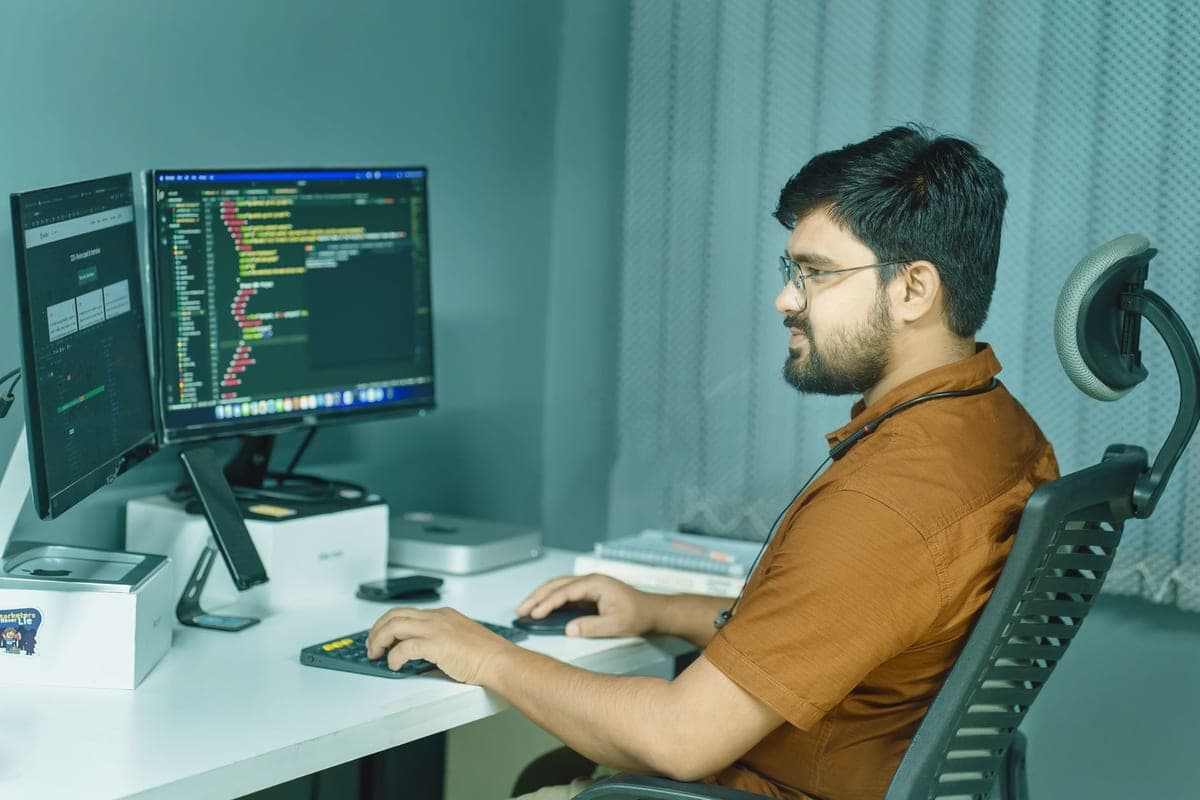
Unwanted background noise - barking dogs, construction jackhammers, crying babies, noisy cafe chatter, or clattering mechanical keyboards - is the number one source of anxiety for remote workers on live client calls.
While Krisp popularized real-time neural noise cancellation, its free tier cap of just 60 minutes per day makes it impractical for full-time remote employees and freelance consultants who spend hours in meetings.
Fortunately, in 2026, there are several 100% free, unlimited AI noise-cancellation tools that run locally on your computer with zero subscriptions or time limits.
Here are the top free Krisp alternatives for crystal-clear remote calls and studio-grade voice recording.
1. Feature Comparison Matrix (2026)
| Tool | Real-Time Live Call Support? | Free Daily Time Limit | Hardware Requirements | Room Echo Cancellation? | Best Use Case |
|---|---|---|---|---|---|
| Nvidia Broadcast | Yes (Virtual Mic) | Unlimited (100% Free) | Nvidia RTX 2060+ GPU | Yes (Removes room reverb) | Windows RTX PC users (Gold Standard) |
| SteelSeries Sonar | Yes (Virtual Mic) | Unlimited (100% Free) | Any PC (Hardware agnostic) | Yes | Any Windows laptop/PC without RTX GPU |
| NoiseTorch / EasyEffects | Yes (Virtual Mic) | Unlimited (Open Source) | Linux (PulseAudio/PipeWire) | Basic | Linux remote developers |
| Adobe Podcast AI | No (Post-production only) | 30 mins/day free | Any browser (Cloud-based) | Exceptional | Pre-recorded videos, podcasts, Loom audios |
| Krisp (Free Tier) | Yes | 60 minutes / day | Any PC / Mac | Yes | Quick emergency short calls |
2. In-Depth Platform Analysis
1. Nvidia Broadcast: The Undisputed King for RTX Owners
If your Windows laptop or desktop has an Nvidia GeForce RTX graphics card (RTX 2060, 3060, 4060 or higher), Nvidia Broadcast is the single best noise canceller in existence.
- Tensor Core Magic: Utilizes dedicated AI Tensor cores on your graphics card, resulting in zero CPU lag and sub-5ms latency.
- Extreme Noise Suppression: You can literally run a vacuum cleaner or eat potato chips directly next to your microphone, and call attendees will only hear your crisp vocal frequencies.
- Room Echo Removal: Removes hollow acoustic room reverb from bare tiled or hardwood home offices.
- 100% Free Forever: Included with Nvidia driver software with no subscriptions.
2. SteelSeries Sonar: The Best Free All-Rounder (No GPU Needed)
Don’t have an Nvidia RTX graphics card? SteelSeries Sonar is the best hardware-agnostic alternative.
- ClearCast AI Noise Cancellation: Powered by bidirectional neural networks that eliminate both outgoing microphone noise and incoming team audio (e.g., muting your coworker's screeching fan).
- Runs on Any CPU: Works on any standard Intel or AMD Windows laptop.
- Parametric EQ: Allows you to boost vocal bass and clarity to make budget USB headsets sound like broadcast microphones.
- Pricing: Completely free; simply download the SteelSeries GG suite and enable Sonar.
3. Adobe Podcast AI (Enhance Speech): Studio Magic for Recordings
Adobe Podcast AI is not designed for live Zoom calls; it is built to fix recorded voiceovers, Loom screen shares, and video tutorials.
- Vocal Reconstruction: Uses deep generative diffusion to reconstruct lost acoustic frequencies. It transforms phone recordings taken in windy streets into broadcast-quality studio audio.
- Web-Based: Upload your audio directly in your browser without installing software.
3. How to Set Up a Virtual AI Microphone in 3 Steps
To ensure your AI noise suppression works across Zoom, Microsoft Teams, Google Meet, Slack, and Discord simultaneously:
- Step 1: Open your chosen software (e.g., Nvidia Broadcast or Sonar) and set your physical microphone as the input source.
- Step 2: Toggle on Noise Removal and set the slider to 80% (avoiding 100% prevents robotic voice clipping).
- Step 3: Open Zoom or Google Meet $\rightarrow$ go to Audio Settings $\rightarrow$ change your Microphone Input from your hardware mic to the virtual device (e.g.,
Microphone (NVIDIA Broadcast)).
4. Hardware Optimization: The $5 Pop Filter & Mic Placement
Software AI is powerful, but basic acoustic hygiene makes it sound ten times better:
- Positioning: Place your microphone 2 to 3 inches away from your mouth at a 45-degree angle to avoid direct breath pops.
- Physical Foam Cover: A $3 foam windscreen absorbs fan drafts that can confuse neural noise algorithms.
- Reduce Room Echo: Hanging a thick blanket or placing a rug in your workspace dramatically improves voice warmth.
Summary
You do not need to pay monthly fees to enjoy silence on remote calls. If you have an RTX PC, Nvidia Broadcast is unbeatable. If you use a standard laptop, SteelSeries Sonar delivers unlimited, zero-dollar voice isolation for all your remote meetings.
Read our related guides on Best Remote Chat Support Jobs Without Phone Calls and Remote Jobs With Equipment Provided Worldwide.
Frequently Asked Questions
Krisp significantly restricted its free tier, limiting users to just 60 minutes of noise removal per day before forcing an $8 to $12/month subscription. Remote professionals working 8-hour client support shifts, daily Zoom standups, or customer calls need unlimited, free 24/7 noise suppression.
For users with an Nvidia RTX graphics card, Nvidia Broadcast is the gold standard offering zero-latency, studio-quality AI noise and room echo cancellation with no time limits. For non-Nvidia Windows users, SteelSeries Sonar is 100% free, hardware-agnostic, and runs on any modern CPU.
Adobe Podcast AI (Enhance Speech) is the undisputed champion for recorded audio. You upload an MP3 or WAV file recorded in an echoey room or noisy cafe, and its neural network transforms it to sound like it was recorded in a professional acoustic sound booth.
Yes. Both Zoom (set to 'High' under Audio Background Noise Suppression) and Google Meet feature native AI filtering. However, hardware-level virtual microphones like Nvidia Broadcast or Sonar filter audio before it reaches the meeting software, ensuring crisp voice isolation across Discord, Loom, Slack huddles, and browser calls simultaneously.

Alex Morgan is the founder and lead editor of RemoGrid. With over six years of hands-on experience in remote operations, cross-border freelance workflows, and AI tool benchmarking, Alex independently tests and audits software platforms to help modern digital workers build sustainable online income streams. He regularly reviews international payment systems (Wise, Stripe, Payoneer, local mobile wallets) and conducts real-world usability benchmarks across AI productivity tools.


