
Best Free Canva Alternatives 2026: 7 Graphic Design Tools Tested
Disclosure: Some links in this article are affiliate links. If you click and make a purchase, we may earn a commission at no extra cost to you. This does not influence our editorial recommendations - we only recommend products and services we genuinely believe in. Read our full affiliate disclosure.
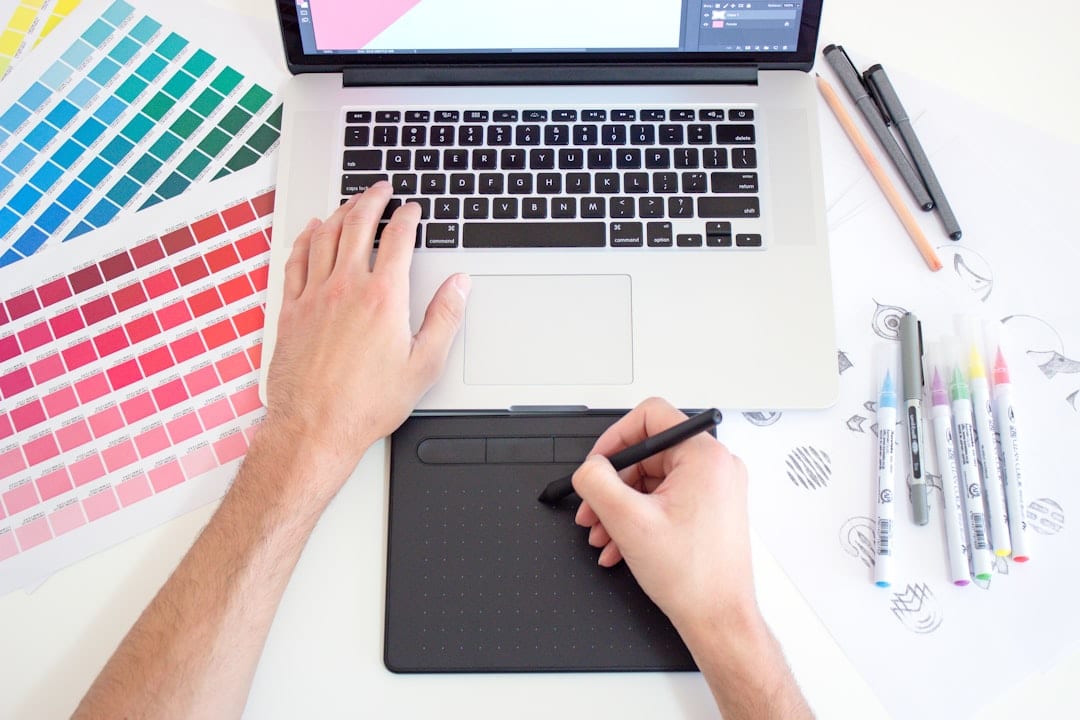
Canva is the undisputed giant of browser-based graphic design. With its drag-and-drop simplicity, vast template catalog, and AI Magic Studio suite, it has enabled over 170 million non-designers to create marketing graphics, presentations, and social media posts.
However, as Canva has expanded, it has increasingly locked essential features behind its Canva Pro ($120/year) paywall - including transparent PNG background downloads, 1-click background removal, custom font uploads, and high-resolution SVG exports.
If you are a freelancer, content creator, or small business owner seeking powerful, budget-friendly design software, this guide compares the 7 best free Canva alternatives in 2026.
Quick Comparison: Best Free Canva Alternatives
The table below breaks down each tool's free tier allowances, AI capabilities, transparent PNG export support, and primary strengths.
| Tool | Free Tier Rating | Transparent PNG Free? | AI Generation Included? | Template Quality | Best Overall For |
|---|---|---|---|---|---|
| Adobe Express | ⭐⭐⭐⭐⭐ (4.9/5) | ✅ Yes (Limited) | ✅ Adobe Firefly AI | ⭐⭐⭐⭐⭐ (5/5) | Best Overall Canva Competitor |
| Kittl | ⭐⭐⭐⭐☆ (4.6/5) | ✅ Yes (Low-res/vector) | ✅ AI Vector & Textures | ⭐⭐⭐⭐⭐ (5/5) | T-Shirt, Merch & Typography Design |
| Polotno Studio | ⭐⭐⭐⭐☆ (4.4/5) | ✅ 100% Free / No Login | ❌ Manual editing | ⭐⭐⭐☆☆ (3.5/5) | No Account / Instant Clean Canvas |
| VistaCreate | ⭐⭐⭐⭐☆ (4.2/5) | ❌ Pro only | ✅ AI Background Tool | ⭐⭐⭐⭐☆ (4/5) | Social Media Posts & Marketing Ads |
| Photopea | ⭐⭐⭐⭐⭐ (4.8/5) | ✅ 100% Free | ❌ Traditional raster | ⭐⭐⭐⭐☆ (4/5) | Advanced Photoshop Alternative |
| Desygner | ⭐⭐⭐☆☆ (3.9/5) | ❌ Pro only | ✅ Basic AI Writer | ⭐⭐⭐⭐☆ (4/5) | PDF Editing & Multi-Page Layouts |
| Snappa | ⭐⭐⭐☆☆ (3.8/5) | ✅ Yes (3 downloads/mo) | ❌ Basic graphics | ⭐⭐⭐☆☆ (3.8/5) | Fast YouTube & Blog Banners |
In-Depth Reviews: Top 7 Free Canva Alternatives
1. Adobe Express - The Best Overall Free Canva Alternative
Adobe Express is Adobe's flagship browser-based creator tool designed to compete directly with Canva. Backed by Adobe's world-class typography and Adobe Firefly generative AI, Express offers an exceptionally generous free tier.
- Why It Beats Canva Free: - Generative AI Powered by Adobe Firefly: Generate commercially safe images, custom text effects, and generative fill expansions using 25 free monthly credits. - Adobe Font Library: Access thousands of licensed Adobe Fonts directly on the free tier without paying for Canva Pro. - Quick Action Tools: Convert videos to MP4/GIF, resize images, and remove video backgrounds with 1 click.
- Pricing: 100% Free plan available. Premium plan is $9.99/month.
2. Kittl - Best for Merch, Vintage Branding & Complex Typography
Kittl is built specifically for creators, illustrators, and print-on-demand (POD) sellers who find Canva's text editing and vector controls too basic.
- Why It Beats Canva Free: - Advanced Typography Engine: Warp text around custom curves, add vintage drop-shadows, textures, and shading layers without vector software. - AI Vector Generator: Generate editable vector illustrations and color palettes from text prompts. - High-Res Merch Mockups: Preview your designs instantly on t-shirts, coffee mugs, hoodies, and packaging boxes.
- Pricing: Free plan includes 20 projects and low-res exports. Pro plan starts at $10/month (unlimited high-res vector exports).
3. Polotno Studio - Best No-Sign-Up / Instant Free Canvas
Polotno Studio is an open-source, distraction-free graphic design canvas that requires zero account creation, zero email logins, and zero subscription banners.
- Why It Beats Canva Free: - 100% Free Transparent PNGs: Download your graphics with transparent backgrounds at full resolution without paywalls. - Instant Privacy: Your design files are processed locally in your browser cache with zero tracking. - Rich Stock Integrations: Direct search access to free stock photos from Unsplash and vector icons from IconFinder.
- Pricing: 100% Free (Open Source web app).
4. Photopea - The Free In-Browser Photoshop Clone
If Canva feels too rigid and you need Photoshop-style layer masks, pen tool vector paths, blending modes, and RAW photo retouching, Photopea is an engineering masterpiece.
- Why It Beats Canva Free: - Full .PSD & .AI File Compatibility: Open, edit, and save layered Adobe Photoshop (.psd), Illustrator (.ai), and Figma files directly in your web browser. - Precision Layer Editing: Clone stamp tool, healing brush, magnetic lasso, channel masks, and custom brush dynamics. - Zero Cost: Supported entirely by unobtrusive sidebar advertisements.
- Pricing: 100% Free. Optional $5/month removes sidebar ads.
5. VistaCreate (Formerly Crello) - Best for Social Ads & Video Templates
VistaCreate (owned by printing giant VistaPrint) mirrors Canva's interface almost 1-to-1, offering over 100,000 ready-to-use marketing templates for Instagram, TikTok, and Facebook Ads.
- Why It Beats Canva Free: - Music & Sound Library: Thousands of royalty-free audio tracks and animated stickers for TikTok and Instagram Reels. - Generous Asset Limits: Thousands of free stock photos and vector illustrations that cost money on Canva's free plan. - Direct VistaPrint Integration: Send business cards and flyers directly to physical print delivery.
- Pricing: Free starter plan; Pro plan is $10/month (includes unlimited brand kits and background removal).
6. Desygner - Best for PDF Editing & Multi-Page Document Layouts
Desygner excels at document formatting, corporate PDF editing, and multi-page marketing brochures.
- Why It Beats Canva Free: - Powerful PDF Editor: Import existing PDF documents and edit text, replace images, and alter vector shapes natively. - Built-in Social Media Scheduler: Schedule and publish graphics directly to Twitter, Pinterest, and Facebook. - Commercial Royalty-Free Library: Integrates millions of free Shutterstock images directly into the editor.
- Pricing: Free plan available; Pro plan is $4.95/month.
7. Snappa - Best for Rapid YouTube Thumbnails & Blog Graphics
Snappa is designed for speed. It eliminates complex submenus in favor of a streamlined canvas with pre-calculated graphic dimensions for YouTube banners, Twitch headers, and Twitter cards.
- Why It Beats Canva Free: - Free Transparent PNG Exports: Download up to 3 high-resolution transparent PNG graphics every month on the free tier. - Pre-Set YouTube Safe Zones: Displays visual overlay lines indicating where text will be cropped on mobile devices. - Vector Icon Library: Over 100,000 vector icons and shapes ready to drop onto canvases.
- Pricing: Free tier allows 3 downloads/month. Pro plan is $10/month (unlimited downloads).
Which Canva Alternative Should You Pick?
To choose the right design tool for your specific workflow:
- For the closest overall Canva replacement with AI: Choose Adobe Express.
- For t-shirts, print-on-demand, and typography art: Choose Kittl.
- For instant, 100% free transparent PNGs with no sign-up: Choose Polotno Studio.
- For layered Photoshop (.PSD) editing and photo retouching: Choose Photopea.
- For social media video ads and print collateral: Choose VistaCreate.
Related Reading & Regional Guides
- Free AI Tools for Productivity
- Best Free AI Tools for Marketing
- All AI Tools in One Website Free
- How to Pay for Canva Pro in South Africa
- Best Website Builder for Freelancers
Best Practices for Maximizing Free AI Tool Limits
To get the most value out of free AI platforms without hitting hourly rate limits or paying monthly subscription fees, implement these proven operational strategies:
- Model Multiplexing Across Multiple Windows: Instead of relying on a single service like ChatGPT, keep tabs open for Claude, Google Gemini, and Perplexity simultaneously. When one platform reaches its rate threshold, seamlessly switch to the next model without losing workflow momentum.
- Local Token Optimization: Strip unnecessary conversational filler from your prompts. Formulate direct, constraint-driven system instructions with clear output schemas (e.g., Markdown tables or bullet lists) to minimize input and output token consumption.
- Session State Management: Open fresh chat sessions for distinct tasks rather than maintaining bloated, multi-day threads that exhaust the model's context window and degrade reasoning quality.
Common AI Tool Mistakes to Avoid
- Unverified Fact Ingestion: Never accept numerical statistics, citations, or legal claims from generative chatbots without cross-referencing primary source documentation.
- Pasting Confidential Credentials: Avoid entering proprietary client data, passwords, or unreleased source code into public web interfaces that use conversational logs for public model training.
- Over-reliance on Single Vendors: Platform outages and pricing shifts happen frequently; ensure your core workflows are compatible with at least two alternative tool ecosystems.
Frequently Asked Questions
Adobe Express is the best overall free alternative to Canva. Its free plan includes generative AI tools powered by Adobe Firefly, thousands of professionally designed templates, 25 free monthly generative credits, 2GB of cloud storage, and basic background removal without requiring a paid subscription.
Polotno Studio, Kittl (free tier limits), and Photopea allow 100% free transparent PNG background exports. On Canva, downloading a transparent PNG requires a Canva Pro subscription, making Polotno Studio and Photopea popular free workarounds for logo and merch designers.
Yes. Photopea is a browser-based graphic editor that natively opens, edits, and exports layered Adobe Photoshop (.PSD), Adobe Illustrator (.AI), Sketch, and Figma files completely free without requiring software installation.
Yes, provided you adhere to each platform's license terms. Platforms like Adobe Express, Kittl, and VistaCreate grant commercial usage rights for social media marketing, YouTube thumbnails, client branding, and digital merchandise, provided you do not resell the raw standalone stock asset files.
Always check the data privacy policy. Most free cloud AI tiers use prompt data to train public models unless you opt out. Avoid pasting unreleased proprietary code or confidential client documents into free web tools.
Yes, outputs generated on tools like ChatGPT, Claude, and Canva free tiers are generally approved for commercial use, but always review specific platform terms regarding copyright and attribution.
Match the tool to the specific task: use Perplexity for research and citations, Claude for long-form copywriting and code refactoring, Gemini for large document analysis, and Canva for visual graphics.

Alex Morgan is the founder and lead editor of RemoGrid. With over six years of hands-on experience in remote operations, cross-border freelance workflows, and AI tool benchmarking, Alex independently tests and audits software platforms to help modern digital workers build sustainable online income streams. He regularly reviews international payment systems (Wise, Stripe, Payoneer, local mobile wallets) and conducts real-world usability benchmarks across AI productivity tools.


