
How to Pay for ChatGPT with GCash: AMEX Virtual Pay, Card Setup & Declines (2026)
Disclosure: Some links in this article are affiliate links. If you click and make a purchase, we may earn a commission at no extra cost to you. This does not influence our editorial recommendations - we only recommend products and services we genuinely believe in. Read our full affiliate disclosure.
Related Guides for Philippine Users:
* Looking for the full breakdown of ChatGPT Plus subscription pricing, monthly auto-debit, and foreign exchange spreads? Read our ChatGPT Plus GCash Subscription & PHP Pricing Guide.
* Comparing GCash with Maya, GoTyme, and local Philippine bank cards? See our guide on How to Pay for ChatGPT Plus in the Philippines.
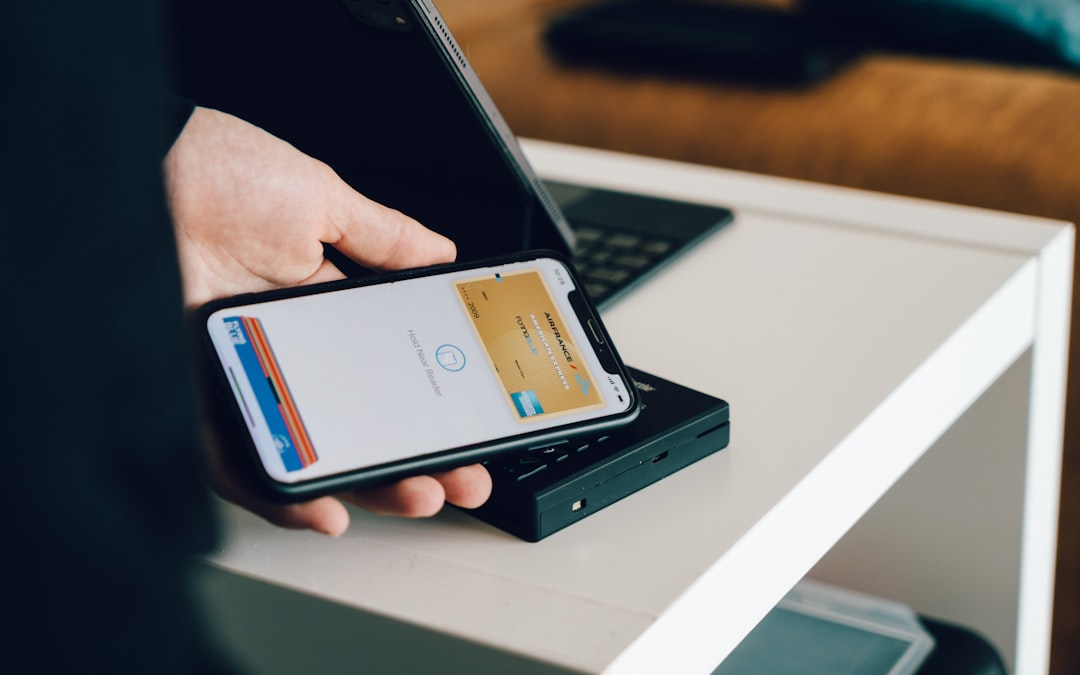
Learning how to pay for ChatGPT Plus using GCash is one of the most essential guides for Filipino remote workers, freelancers, virtual assistants, and university students in 2026. While OpenAI requires an international debit or credit card processed through Stripe for its $20/month ChatGPT Plus subscription, the vast majority of Filipinos rely on digital mobile wallets like GCash rather than traditional commercial bank credit cards.
If you attempt to enter a standard local Philippine ATM card on OpenAI's checkout page, your transaction will almost certainly be declined due to international e-commerce blocks. However, by properly configuring GCash's built-in American Express Virtual Pay or the GCash Virtual Visa/Mastercard, you can subscribe to ChatGPT Plus, Team, or OpenAI API credits seamlessly.
This comprehensive 2026 walkthrough provides a complete step-by-step guide on how to pay for ChatGPT using GCash, compares alternative Philippine payment methods, details exact PHP conversion costs, and troubleshoots common payment decline errors.
Comparison Table: Philippine Digital Payment Options for ChatGPT (2026)
The table below compares the best Philippine e-wallet and virtual card options for paying OpenAI subscriptions:
| Payment Method | Card Type / Network | Setup Time | Success Rate on Stripe | Typical FX Fee Markup | Billing Address Requirement |
|---|---|---|---|---|---|
| GCash AMEX Virtual Pay | Virtual American Express | 3–5 Minutes | 98% (Highest) | ~1.5% – 2.0% | US Forwarding Address (Provided free) |
| GCash Virtual Visa Card | Virtual Visa (Alipay+) | 2–3 Minutes | 94% | ~2.0% | Philippine Registered Address |
| Maya Virtual Card | Virtual Visa / Mastercard | 2 Minutes | 98% (Top Fallback) | ~1.5% – 2.0% | Philippine Registered Address |
| PayPal Philippines (Linked GCash) | PayPal Digital Wallet | 5 Minutes | 92% | ~3.0% (PayPal FX) | Philippine Registered Address |
| UnionBank Virtual Debit | Online Visa Debit | 10 Minutes | 96% | ~1.75% | Philippine Registered Address |
| GrabPay Virtual Mastercard | Virtual Mastercard | 3 Minutes | 90% | ~2.0% | Philippine Registered Address |
Step-by-Step Guide: Method 1 - Paying With GCash AMEX Virtual Pay (Recommended)
GCash American Express (AMEX) Virtual Pay is a free virtual card linked directly to your GCash wallet balance. Because it is issued as an American Express card paired with a free US forwarding address, it has the highest success rate on OpenAI's Stripe checkout.
Step 1: Verify Your GCash Account & Fund Wallet
- Open the GCash app and confirm that your account status is Fully Verified (requires a valid government ID and selfie verification).
- Cash in at least ₱1,300 PHP into your GCash wallet balance. (Although $20 USD is approximately ₱1,140–₱1,180 PHP, OpenAI initiates a temporary $1.00 USD pre-authorization hold to verify card validity).
Step 2: Activate GCash American Express Virtual Pay
- On the GCash home screen, tap View All Services and scroll down to Pay Online / Cards.
- Select American Express Virtual Pay.
- Tap Activate / Renew Account. GCash will instantly generate: - A 15-digit American Express Card Number (starting with
37xx). - An expiration date (MM/YY). - A free US billing address in Glendale, California (or Oregon).
Step 3: Request Your 4-Digit Security Code (CVV)
- Inside the AMEX Virtual Pay dashboard, tap Get New Code.
- GCash will send a 4-digit security code (CVV) to your registered Philippine mobile number via SMS. (Note: AMEX security codes are 4 digits, not 3).
Step 4: Complete OpenAI Stripe Checkout
- Log into your account at chatgpt.com and click Upgrade to Plus ($20/mo).
- Enter your 15-digit GCash AMEX card number, expiration date, and the 4-digit SMS security code.
- For the Billing Address, enter the US forwarding address provided inside your GCash AMEX dashboard (City, State, Zip Code).
- Click Subscribe. Your subscription will activate instantly, and GCash will send an SMS confirmation deducting the PHP equivalent from your balance.
For regional country comparison guides, read our detailed overview of how to pay for ChatGPT Plus in the Philippines.
Step-by-Step Guide: Method 2 - Paying With Maya Virtual Card (Best Fallback)
If your GCash app is undergoing scheduled system maintenance or you prefer a straightforward Philippine billing address, Maya (formerly PayMaya) is the most reliable alternative.
- Step 1: Open the Maya app and deposit at least ₱1,300 PHP.
- Step 2: Tap Cards at the bottom navigation bar and select Virtual Card.
- Step 3: View your 16-digit Visa card number, expiration date, and 3-digit CVV.
- Step 4: On OpenAI's checkout screen, select Philippines as your country, input your local Philippine home address and postal ZIP code, and submit payment.
Philippine Peso (PHP) Pricing & Currency Conversion Breakdown
Understanding the exact fees prevents unexpected payment rejections:
Tips for Managing Auto-Renewals:
OpenAI automatically charges your card every 30 days. To ensure uninterrupted access to GPT-4o, DALL-E, and custom GPTs, maintain at least ₱1,250 PHP in your GCash wallet 24 hours before your monthly renewal date.
️ Troubleshooting: 5 Common GCash ChatGPT Decline Errors & Fixes
If your payment fails on OpenAI, identify and fix the issue using this checklist:
- "Your card was declined" (Insufficient Balance / Buffer Error): - Fix: The #1 cause of rejection is having exactly ₱1,150 in your wallet. Because OpenAI runs a temporary $1 authorization check alongside foreign currency conversion buffers, always maintain at least ₱1,300 PHP.
- "Zip Code or Billing Address Mismatch": - Fix: If using GCash AMEX, you must enter the exact US address and ZIP code displayed in your AMEX dashboard. If using GCash Visa or Maya, select Philippines and enter your local postal code.
- "Expired Security Code (CVV)": - Fix: GCash AMEX security codes expire after several hours for safety. Tap Get New Code inside GCash right before clicking Subscribe.
- "3D Secure Authentication Timed Out": - Fix: Keep the GCash app open in the background to immediately approve any one-time SMS OTP prompt.
- Account Not Fully Verified: - Fix: Basic unverified GCash accounts cannot execute international cross-border merchant payments. Complete Tier 1 biometric ID verification first.
Best Practices for Maximizing Free AI Tool Limits
To get the most value out of free AI platforms without hitting hourly rate limits or paying monthly subscription fees, implement these proven operational strategies:
- Model Multiplexing Across Multiple Windows: Instead of relying on a single service like ChatGPT, keep tabs open for Claude, Google Gemini, and Perplexity simultaneously. When one platform reaches its rate threshold, seamlessly switch to the next model without losing workflow momentum.
- Local Token Optimization: Strip unnecessary conversational filler from your prompts. Formulate direct, constraint-driven system instructions with clear output schemas (e.g., Markdown tables or bullet lists) to minimize input and output token consumption.
- Session State Management: Open fresh chat sessions for distinct tasks rather than maintaining bloated, multi-day threads that exhaust the model's context window and degrade reasoning quality.
Common AI Tool Mistakes to Avoid
- Unverified Fact Ingestion: Never accept numerical statistics, citations, or legal claims from generative chatbots without cross-referencing primary source documentation.
- Pasting Confidential Credentials: Avoid entering proprietary client data, passwords, or unreleased source code into public web interfaces that use conversational logs for public model training.
- Over-reliance on Single Vendors: Platform outages and pricing shifts happen frequently; ensure your core workflows are compatible with at least two alternative tool ecosystems.
Conclusion: Upgrade to ChatGPT Plus in Under 5 Minutes
Paying for ChatGPT Plus in the Philippines does not require a traditional bank credit card. By following the GCash American Express Virtual Pay or Maya Virtual Card workflows in this guide, Filipino professionals, freelancers, and students can unlock the full power of GPT-4o, advanced data analysis, and custom GPTs in under 5 minutes. If you want to compare free alternatives first, explore our guides on free AI tools like ChatGPT and the 18 best free AI tools for productivity.
Load ₱1,300 into your GCash wallet, activate your virtual card, and start using ChatGPT Plus today!
Frequently Asked Questions
Yes. You can pay for ChatGPT Plus using GCash by activating either the free GCash American Express (AMEX) Virtual Pay feature or linking your GCash Virtual Visa/Mastercard inside the OpenAI Stripe checkout page.
ChatGPT Plus costs $20.00 USD per month. Depending on real-time foreign exchange rates and standard bank currency conversion fees (typically 1.5%–2.5%), expect to pay between ₱1,140 and ₱1,200 PHP per monthly billing cycle.
Common reasons for GCash declines include having insufficient wallet balance (always maintain at least ₱1,300 to cover exchange buffers and pre-authorization holds), unverified GCash account status, expired AMEX security codes (CVV), or using a mismatched US billing address.
Both platforms have a 95%+ success rate. However, Maya Virtual Visa is often slightly faster to set up because it provides a standard 16-digit Visa number that uses your local Philippine address directly, whereas GCash AMEX uses a specialized US forwarding address.
Always check the data privacy policy. Most free cloud AI tiers use prompt data to train public models unless you opt out. Avoid pasting unreleased proprietary code or confidential client documents into free web tools.
Yes, outputs generated on tools like ChatGPT, Claude, and Canva free tiers are generally approved for commercial use, but always review specific platform terms regarding copyright and attribution.
Match the tool to the specific task: use Perplexity for research and citations, Claude for long-form copywriting and code refactoring, Gemini for large document analysis, and Canva for visual graphics.
Yes. Both GCash AMEX Virtual Pay and Maya Virtual Visa work seamlessly for funding OpenAI developer API credits (minimum $5.00 deposit) inside platform.openai.com. Check our comparison in [ChatGPT Teams vs Plus 2026](/blog/ai-tools/chatgpt-teams-vs-plus-2026). ---

Alex Morgan is the founder and lead editor of RemoGrid. With over six years of hands-on experience in remote operations, cross-border freelance workflows, and AI tool benchmarking, Alex independently tests and audits software platforms to help modern digital workers build sustainable online income streams. He regularly reviews international payment systems (Wise, Stripe, Payoneer, local mobile wallets) and conducts real-world usability benchmarks across AI productivity tools.


