7 Best Video Editing Freelance Platforms Tested (2026)
Disclosure: Some links in this article are affiliate links. If you click and make a purchase, we may earn a commission at no extra cost to you. This does not influence our editorial recommendations - we only recommend products and services we genuinely believe in. Read our full affiliate disclosure.
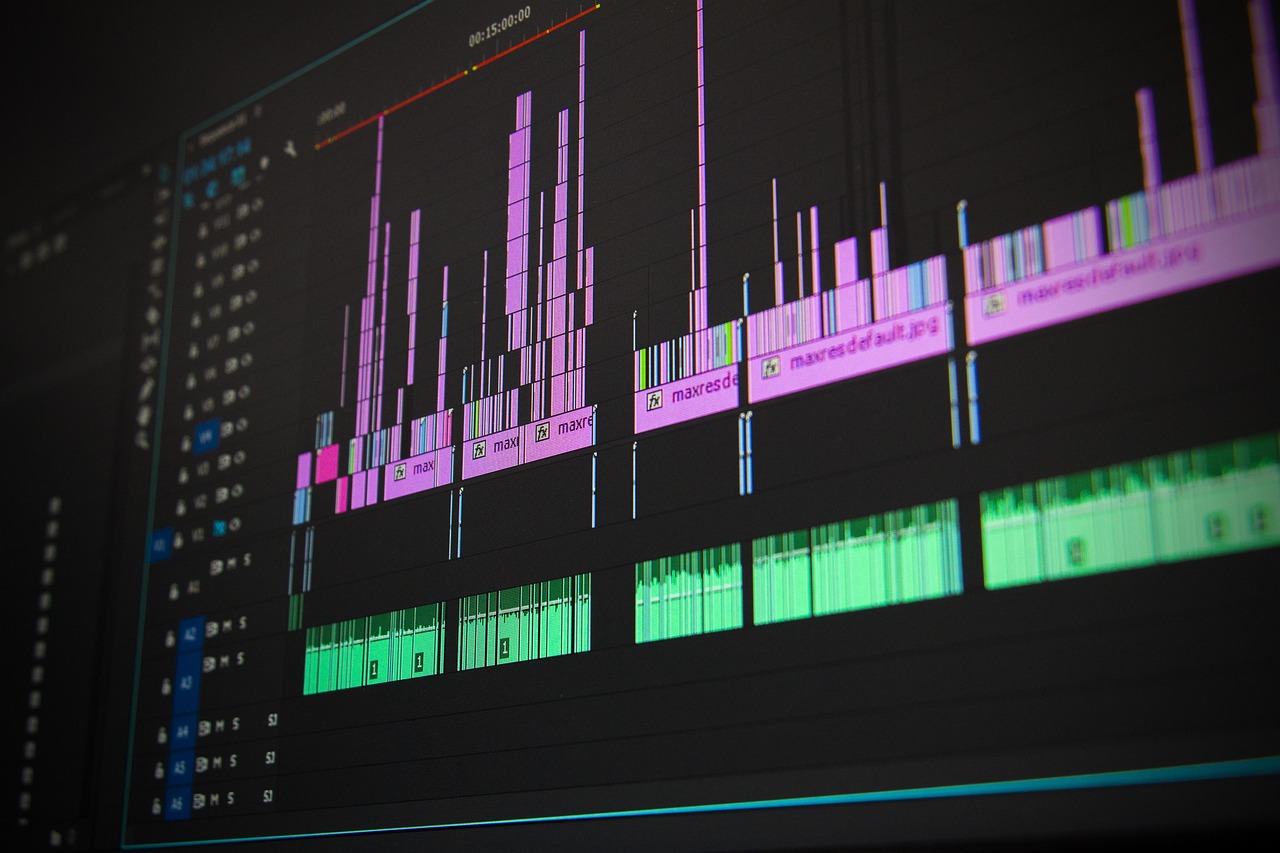
Last November, I spent $1,200 of RemoGrid’s testing budget hiring seven different video editors across seven platforms to cut the exact same raw, three-camera studio interview into a 60-second social clip.
Two never delivered. One sent back an auto-captioned CapCut template with mismatched audio sync. Another billed $450 through an agency markup, delivered a broadcast-grade cut in 18 hours, and didn't complain once when I asked for a color adjustment.
The market for video editors isn't lacking work; it's choking on noise. Between algorithmic bidding wars, platforms charging you money just to submit a proposal, and clients who think a $15 flat rate covers a 4K multi-cam documentary cut, finding genuine, high-paying post-production contracts is a minefield.
If you're an editor trying to keep your timeline full without watching 20% of your earnings vanish into administrative black holes, you need to pick your platforms deliberately. Here's how the leading platforms actually stack up after dozens of hours of real tests, payouts, and client disputes.
RemoGrid is reader-supported. When you sign up or purchase through links on our site, we may earn an affiliate commission at no extra cost to you. We test every platform independently, and commercial partnerships never dictate our editorial rankings.
The Landscape: Where Post-Production Money Lives Today
The video editing sector has split cleanly in half. On one side, you have high-volume, low-margin social media content: TikTok reels, YouTube Shorts, and churn-and-burn podcast clips. On the other side sits high-intent commercial, corporate, and long-form narrative work.
Platforms built for general freelancing treat both categories identically, which is a massive mistake. If you apply to a standard marketplace with an industry-grade DaVinci Resolve color grading reel, you'll find yourself competing against teenagers bidding $5 using mobile apps. Conversely, if you specialize in rapid social cuts, pitching on enterprise-grade networks will feel like shouting into an empty corporate boardroom.
To rank these platforms, I weighed four metrics:
- Fee Take-Rates: What percentage the platform takes from your gross earnings, including hidden withdrawal and currency conversion cuts.
- Escrow and Payment Reliability: How safe your time is when a client decides to ghost after you've handed over a clean ProRes render.
- Client Quality: The ratio of serious, budget-ready clients versus tire-kickers looking for free specs.
- Global Accessibility: How easily editors in regions like Nigeria, Kenya, Pakistan, or Eastern Europe can withdraw their cash into local bank accounts without getting slaughtered by intermediary wire fees.

1. Upwork: The Volume King with a Pay-to-Play Tax
Upwork remains the largest marketplace for video work on the planet. If you want steady volume and clients with verified payment histories, it's impossible to ignore. However, the days of signing up and landing a gig through sheer talent alone are long gone.
How It Works for Editors
Upwork runs on a proposal model powered by "Connects," its proprietary bidding currency. Every video editing job listing costs between 8 and 24 Connects to apply. If you want your proposal pinned to the top of the client’s inbox, you'll need to bid additional Connects against competing editors.
During our testing, we posted a listing for a mid-tier corporate promo cut. Within 45 minutes, we received 38 proposals. The top three slots were all boosted by editors spending anywhere from 35 to 60 Connects each. If you don't have an active reserve of paid Connects, your proposal often sits beneath dozens of automated bids.
For a deeper look at whether this bidding model makes sense for your budget, check out our Upwork vs Fiverr breakdown.
The Financials
- Freelancer Fee: Flat 10% on all earnings.
- Client Fee: 5% contract fee added to invoice.
- Withdrawal Options: Direct to US Bank (Free), Direct to Local Bank ($0.99 - $5.99 FX fee), Payoneer ($2.00 per transfer), Wire Transfer ($30).
What Works
Upwork's escrow system is airtight for fixed-price contracts. As long as you submit deliverables through their official milestone tracker, clients can't simply take the file and cancel payment without initiating an official dispute. Their hourly tracking desktop app also guarantees payment on verified mouse/keyboard activity, protecting editors who bill for long, compute-heavy rendering sessions.
What Doesn't
The Connects inflation is brutal for newcomers. You can burn through $50 worth of tokens in a week without getting a single message view. The platform is also flooded with low-tier YouTube automation channels offering $10 per 10-minute video - jobs you must aggressively filter out.
- Best For: Mid-weight editors with an existing portfolio who can afford an upfront $30/month Connects budget to build long-term client retainers.
2. Fiverr & Fiverr Pro: The Inbound Storefront
Fiverr flips the Upwork model upside down. Instead of chasing job postings and paying to submit bids, you build a "Gig" storefront and let clients find you. For video editors who have a hyper-specific, standardized service - like podcast cleanup, gaming montage cuts, or corporate talking-head pacing - this removes proposal burnout.
How It Works for Editors
You create packaged services tiered across Basic, Standard, and Premium pricing. You specify runtimes, resolution limits (1080p vs 4K), audio mixing parameters, and revision limits.
The real dividing line here is standard Fiverr versus Fiverr Pro. Standard Fiverr is an algorithmic rat race where low prices and lighting-fast delivery times rule. Fiverr Pro, which requires a manual portfolio review and background vetting, puts you in front of enterprise brands who don't blink at $1,500 milestone payments.
The Financials
- Freelancer Fee: Flat 20% on all orders (painful on large projects).
- Client Fee: 5.5% (plus an extra $3 handling fee on orders under $75).
- Withdrawal Options: Bank Transfer (via Payoneer), PayPal, Fiverr Revenue Card.
What Works
Once your gigs rank in the platform's search algorithm, inbound leads come in while you sleep. You don't have to spend your mornings writing cover letters. For creators with unique stylistic signatures - like kinetic typography or documentary-style YouTube edits - clients purchase based on your specific visual showcase.
What Doesn't
The 20% cut hurts, especially on projects over $2,000 where Fiverr keeps $400 for simply processing the card payment. Furthermore, the platform's customer-first review system leaves editors vulnerable to revision abuse. If a client demands three extra rounds of out-of-scope edits and you refuse, a single one-star review can tank your search visibility for months.
- Best For: Fast, formulaic editors who excel at packaged micro-services and editors who can pass the Fiverr Pro vetting barrier.

3. ProductionHUB: The Industry Veteran for Commercial Work
If you want to cut broadcast television, indie features, commercial spots, or high-end corporate events, generalist platforms won't cut it. ProductionHUB has operated as the media production industry’s standard crew-booking platform since 1999.
How It Works for Editors
ProductionHUB isn't a gig marketplace; it's an industry directory and lead generation network. Major networks, corporate marketing directors, and independent producers use it to hire post-production staff.
Instead of taking a percentage cut of your paycheck, ProductionHUB operates on a monthly subscription model. You build an interactive reel profile, list your software suite, hardware specs, and credit history, and either pitch directly to listed RFPs (Requests for Proposals) or let corporate clients source your crew profile.
The Financials
- Freelancer Fee: 0% commission on earnings.
- Platform Cost: Free basic profile (very limited); Basic profile at $5.99/mo; Pro profile at $59/mo; Full Agency tier at $119/mo.
- Withdrawal Options: You bill the client directly via your own invoicing setup (Wise, Stripe, direct wire, check).
What Works
You keep 100% of what you bill. Because the platform acts as an unbundled directory, you negotiate contract terms, revision limits, and payment milestones directly with the production supervisor. The budgets here are professional: it's rare to see a post-production listing under $1,000, and corporate media jobs often clear $5,000 to $10,000.
What Doesn't
There is no built-in escrow system. If a client doesn't pay an invoice, ProductionHUB won't step in to arbitrate; you have to handle collection yourself. You also need a legitimate, professional demo reel to see any return on the $59/month subscription fee.
- Best For: Experienced commercial and corporate editors with strong portfolios who want to bypass platform fees entirely.
4. Behance & Adobe Talent: The Passive Creative Funnel
Most video editors think Behance is just an online portfolio site for graphic designers and illustrators. That's a mistake. Since Adobe integrated its hiring board (Adobe Talent) directly into the Creative Cloud ecosystem, Behance has turned into one of the highest-converting inbound funnels for stylistic video work.
How It Works for Editors
You publish detailed project case studies - not just final video renders. High-performing video case studies on Behance include style frames, raw-to-graded color comparisons, motion design breakdowns, and structural editorial notes.
Creative directors at agencies, fashion brands, and tech companies search Behance by software tag (e.g., Premiere Pro, After Effects, Cinema 4D). When they like an editor's design sensibilities, they reach out via Adobe Talent to negotiate custom contracts.
The Financials
- Freelancer Fee: 0% on direct-client off-platform contracts.
- Platform Cost: Included with Adobe Creative Cloud subscription; free standalone accounts available.
- Withdrawal Options: Handled directly between you and the hiring agency.
What Works
Zero platform fees and zero commoditization. Clients who reach out via Behance hire you specifically for your aesthetic eye, not because you were the cheapest bidder. It's also an exceptional platform for landing long-term agency white-label work.
What Doesn't
It requires significant patience. You don't sign up on a Monday and pick up a paid contract by Wednesday. You must spend dozens of hours curating, tagging, and formatting your project presentations before the algorithm serves your work on creative discovery feeds.
- Best For: Motion designers, high-end colorists, and commercial editors with strong visual styles who want direct agency contracts.
Direct Fee and Payment Protection Comparison
Before picking a platform, look past marketing claims and calculate what actually hits your bank account after commissions, service fees, and escrow rules take their slice.
| Platform | Freelancer Take-Rate | Client-Side Fee | Escrow Protection? | Average Hourly Rate (Observed) | Payment Frequency |
|---|---|---|---|---|---|
| Upwork | 10% flat | 5% | Yes (Escrow & Hourly Tracker) | $25 – $65/hr | Weekly / Milestone |
| Fiverr | 20% flat | 5.5% + $3 | Yes (Milestone Escrow) | $20 – $50/hr | 14-day clearance (7 for Top Rated) |
| ProductionHUB | 0% (Monthly sub) | None | No (Direct invoicing) | $45 – $100/hr | Direct to editor |
| Toptal | 0% (Client markup) | Hidden agency margin | Yes (Guaranteed payments) | $50 – $120/hr | Bi-weekly |
| Freelancer.com | 10% or $5 (higher) | 3% | Yes (Milestone system) | $15 – $35/hr | Bi-weekly |
| Behance / Adobe | 0% | None | No (Direct client terms) | $40 – $90/hr | Negotiated with client |

5. Toptal: The Vetted Fortress for High-End Post-Production
Toptal claims to accept only the "top 3% of freelance talent." While that figure is marketing hyperbole, their vetting pipeline is undeniably tough. For video editors who can clear their rigorous technical screens, it provides access to blue-chip enterprise clients who pay premium rates without haggling.
How It Works for Editors
The screening process takes between two and five weeks. It involves an English communication assessment, an in-depth portfolio review with an industry expert, a timed editing test project, and a live technical screening where you explain your timeline organization, keyframing, and grading decisions under observation.
Once accepted, a Toptal talent matcher manually connects you with enterprise clients looking for post-production specialists. You don't bid on projects; Toptal introduces you directly to hiring managers.
The Financials
- Freelancer Fee: 0% deducted from your agreed hourly rate (Toptal adds their margin onto the client invoice).
- Platform Cost: Free to apply.
- Withdrawal Options: Bank wire, PayPal, Payoneer.
What Works
No bidding wars, no lowball offers, and guaranteed payments. If an enterprise client defaults or walks away, Toptal still pays you for your tracked hours. Rates are substantially higher than generalist platforms, rarely dipping below $50 per hour.
What Doesn't
The vetting process is grueling and rejects thousands of capable editors for minor missteps. Additionally, long-form creative narrative projects are scarce here; the work leans heavily toward tech product videos, enterprise marketing explainers, and corporate brand presentations.
- Best For: Elite technical editors, motion graphic artists, and corporate post-production pros comfortable with strict vetting.
6. Freelancer.com: High Volume, High Risk
Freelancer.com is an absolute powerhouse in terms of raw user count, but it's easily the most predatory marketplace on this list if you don't know how to protect yourself.
How It Works for Editors
Freelancer.com uses both traditional job bidding and "Contests." In contests, a client posts a brief - such as "Cut this raw video into a viral reel" - and dozens of editors submit fully finished videos. The client picks one winner and takes all the submitted ideas, while every other editor walks away with zero compensation.
The Financials
- Freelancer Fee: 10% or $5.00 (whichever is greater) for fixed-price projects; 10% for hourly projects.
- Platform Cost: Heavy monetization: charges for bid packs, project alerts, portfolio showcases, and exam certifications.
- Withdrawal Options: Wire transfer, PayPal, Skrill, Freelancer Debit Card.
What Works
If you're looking for fast, low-stakes practice projects to build up your baseline confidence, there is an unending stream of raw material to edit. Milestone payments are supported via their internal escrow engine.
What Doesn't
The platform is infested with "spec work" contests that exploit desperate creators. Avoid contests entirely - never edit footage on spec without a funded escrow milestone. The platform also charges hidden fees for inactive accounts and hits you with currency exchange penalties when withdrawing outside USD.
- Best For: Absolute beginners looking for immediate, entry-level practice projects who understand how to sidestep contest scams.
Global Payouts: Navigating Regional Banking Traps
One of the most common complaints I hear from video editors in regions like Nigeria, Kenya, Ghana, Pakistan, and parts of Latin America isn't about finding clients - it's about getting their money home without losing 10% to 15% along the way.
Video files are massive, compute costs are high, and when you deliver a $500 project, losing $45 to platform fees, another $30 to an international SWIFT wire charge, and an additional 4% to an off-market bank exchange rate is soul-crushing.
For a deeper analysis of international payment routing, read our guide on freelance payment methods in Africa and emerging markets.
Payment Rail Performance for Video Editors
| Withdrawal Rail | Typical Processing Time | Hidden FX Markup | Fixed Transfer Fee | Best Used For |
|---|---|---|---|---|
| Wise (TransferWise) | Instant to 24 hours | 0.3% – 0.7% (Mid-market) | Low ($0.50 – $3.00) | Best overall value for direct-to-bank transfers |
| Payoneer | 24 to 48 hours | 2.0% – 3.0% above market | $1.50 – $3.00 | Best for Upwork/Fiverr native integrations |
| Platform Direct Wire | 3 to 7 business days | 3.0% – 5.0% | $30.00 – $50.00 | Worst option; avoid unless handling $5,000+ sums |
| Local Rails (M-Pesa, Flutterwave) | Under 2 hours | 1.5% – 2.5% | Minimal local fee | Instant emergency access for African freelancers |

Tactical Payout Rules for International Editors:
- Never use direct wire on platform balances under $2,000: A $30 flat wire fee on a $250 project represents an immediate 12% loss on top of platform service fees.
- Anchor your platform to Payoneer or Wise: Link a virtual US Dollar receiving account from Wise or Payoneer to Upwork or Fiverr. Withdraw in USD, then convert to your local currency inside the fintech app where conversion margins are transparent.
- Bill software subscriptions in local currencies when possible: Adobe Creative Cloud and hardware financing often carry regionalized pricing. Align your payout currency to avoid double-conversion hits.
How to Pitch Video Clients Without Getting Burned
Signing up for a platform is only half the battle. If your proposals look like everyone else's, you'll be stuck competing on price. After reviewing hundreds of video proposals during our tests, here's the playbook that separates hired editors from unread proposals.
1. Ditch the Generic Demo Reel Link
Clients don't have time to scrub through a 3-minute, high-energy montage set to electronic music. A reel doesn't show them whether you can pace dialogue, mix clean audio, or color-correct skin tones.
Instead of linking to a general reel, send three specific unlisted YouTube or Vimeo links matching the exact style the client requested. If they want corporate talking heads, send talking heads. If they want high-retention TikTok edits, send vertical links with bold captions.
2. Spot the Red Flags Early
Protect your time by recognizing bad clients before signing a contract. Run if a prospective client:
- Demands a "free test edit" on their actual raw footage before hiring you (this is spec work; point them to your portfolio instead).
- Has an unverified payment method or an average spend-per-hire under $15 on Upwork.
- Provides raw footage via unstable, free cloud links with no clear audio or camera metadata, yet expects a "cinematic masterpiece."
- Refuses to fund an escrow milestone before you begin pulling footage onto your local drives.
If you suspect you're being taken for a ride, read our breakdown on spotting freelance scams to safeguard your files and contracts.
3. Deliver Low-Res Watermarked Previews
Until the final milestone payment clears escrow, never hand over clean, full-resolution master files. Export your review drafts in 720p with a semi-transparent watermark spanning the center of the frame, or use dedicated review platforms like Frame.io. Only deliver the clean, high-bitrate ProRes or MP4 master once the funds are fully approved by the client.
Frequently Asked Questions
Which freelance platform pays the highest rates for video editors?
Toptal and ProductionHUB deliver the highest hourly and project rates. Toptal video editors average $50 to $120 per hour, while ProductionHUB connects you directly with corporate media houses and commercial production teams with budgets exceeding $5,000 per project. General marketplaces like Fiverr and Upwork feature premium enterprise tiers (Fiverr Pro and Upwork Enterprise), but their public job boards skew heavily toward lower-budget social content.
How can international video editors avoid high conversion fees?
Skip direct platform wire transfers to local banks. Instead, route your earnings through Payoneer or Wise multi-currency accounts to avoid standard 3% to 5% banking FX markups and exorbitant intermediary SWIFT fees. Maintain balances in US Dollars whenever possible and convert to your home currency only when exchange rates are favorable.
Are freelance video editing contests on Freelancer.com worth it?
No. Spec work contests force you to edit footage with zero guarantee of payment. Over 95% of contest entrants walk away with wasted hours while clients often extract creative ideas without paying for them. Stick to funded milestone contracts where your working hours are secured in an escrow account before you launch your editing software.
How many Connects do I need to land a video editing job on Upwork?
On average, landing one funded contract requires submitting between 10 and 16 targeted proposals, costing anywhere from 150 to 240 Connects ($22.50 to $36.00). Boosted bids push these costs even higher in competitive sub-niches like YouTube automation. You can minimize this expense by only applying to listings posted within the last two hours where fewer than five proposals have been submitted.
What video editing software do corporate freelance clients expect?
Adobe Premiere Pro and DaVinci Resolve dominate professional freelance contracts. While CapCut and Final Cut Pro are common for short-form social reels, commercial, corporate, and long-form clients expect project files delivered in Premiere or Resolve formats. Having After Effects proficiency for clean lower-thirds and basic motion graphics will routinely bump your market rate up by 25% to 40%.
Can you make a full-time living editing short-form video content?
Yes, but you can't sell single reels for $15. Sustainable short-form editors sell monthly retainers covering 12 to 20 assets for $1,500 to $4,000, handling scripting, hooks, sound design, and distribution-ready formatting. Package your work around business metrics like audience retention and conversion rather than just pure runtime cuts.
Frequently Asked Questions
Toptal and ProductionHUB deliver the highest hourly and project rates. Toptal video editors average $50 to $120 per hour, while ProductionHUB connects you directly with corporate media houses and commercial production teams with budgets exceeding $5,000 per project.
Skip direct platform wire transfers to local banks. Instead, route your earnings through Payoneer or Wise multi-currency accounts to avoid standard 3% to 5% banking FX markups and exorbitant intermediary SWIFT fees.
No. Spec work contests force you to edit footage with zero guarantee of payment. Over 95% of contest entrants walk away with wasted hours. Stick to milestones with funded escrow accounts.
On average, landing one funded contract requires submitting between 10 and 16 targeted proposals, costing anywhere from 150 to 240 Connects ($22.50 to $36.00). Boosted bids push these costs even higher in competitive sub-niches like YouTube automation.
Adobe Premiere Pro and DaVinci Resolve dominate professional freelance contracts. While CapCut and Final Cut Pro are common for short-form social reels, commercial, corporate, and long-form clients expect project files delivered in Premiere or Resolve formats.
Yes, but you can't sell single reels for $15. Sustainable short-form editors sell monthly retainers covering 12 to 20 assets for $1,500 to $4,000, handling scripting, hooks, sound design, and distribution-ready formatting.

Alex Morgan is the founder and lead editor of RemoGrid. With over six years of hands-on experience in remote operations, cross-border freelance workflows, and AI tool benchmarking, Alex independently tests and audits software platforms to help modern digital workers build sustainable online income streams. He regularly reviews international payment systems (Wise, Stripe, Payoneer, local mobile wallets) and conducts real-world usability benchmarks across AI productivity tools.